Build your stream.
In your browser.
Overlay Studio is everything you need to set up a stream: 20 widgets, ready-made scenes, your own pictures and sounds, a graphics maker and a one-file OBS setup.
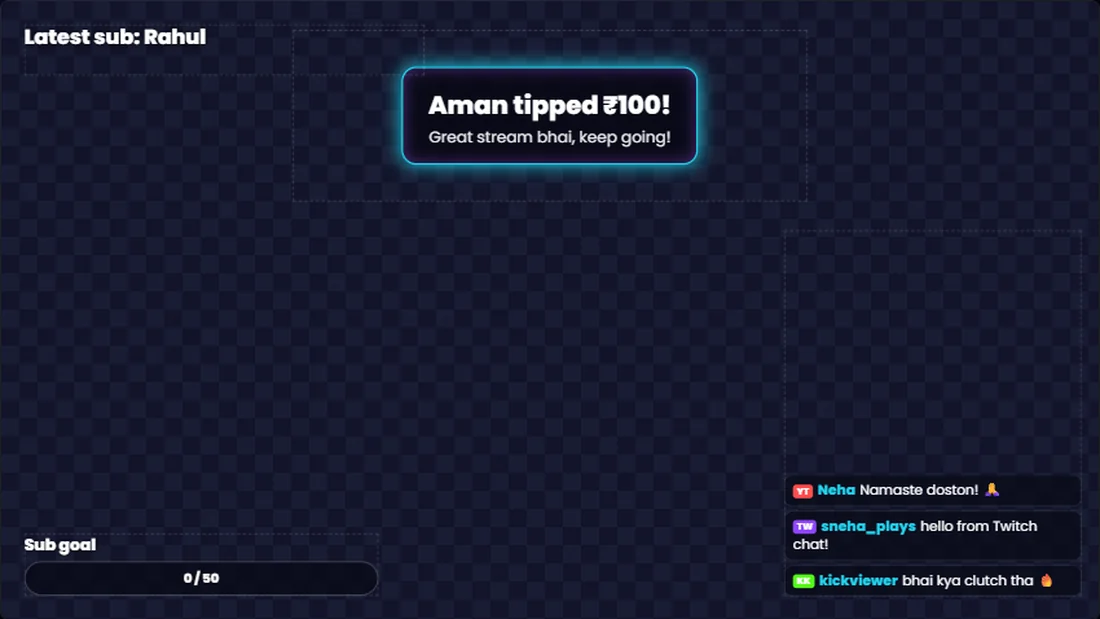
20 widgets on one canvas.
Add what you need, then drag, resize and rotate it on a full 1080p canvas.
Alerts and chat
Alert box with its own wording, picture and sound for each alert, a chat box with Twitch emotes, and a recent events list.
Goals and counters
Goal bars, running counters and a subathon timer that adds time for subs, follows, tips and bits.
Fun with chat
Chat polls, confetti on alerts, an emote wall, and end credits that thank your supporters by name.
Text and time
Countdowns, a clock, a scrolling ticker, rotating social links and text that shows your latest supporters.
Visuals
Webcam frames, shapes, pictures, GIFs, moving particles and animated backgrounds.
Hindi ready
Fonts that handle Hindi and English together, plus a ready-made Desi gold look.
A whole stream in one click.
Pick a look and get five matching scenes: Starting soon, Gameplay, Just chatting, Be right back and Stream ending. Choose from Neon, Desi gold, Sakura, Comic and Clean, then make them your own.
Set up OBS the easy way.
OBS scene file
Download one file and import it into OBS. Your scenes and overlays arrive already in place, with your webcam lined up to its frame.
OBS settings helper
Tell it your platform, graphics card and upload speed, and get a suggested bitrate, encoder and resolution.
Go-live checklist
A simple list to run through before every stream, so nothing gets missed.
Your whole channel, matching.
Make Twitch panels, profile banners and offline screens, plus YouTube thumbnails and channel banners, already at the right size. Pictures you add stay on your computer.
Three steps to live.
Design it
Start from a stream pack or a blank scene. Press the test buttons to see your alerts play.
Connect it
Type your Twitch channel name, or choose CHATDOOM to bring in YouTube, Kick and tips too.
Add it to OBS
Import your OBS scene file once. After that, your edits reach OBS by themselves within about a minute.
Two ways to connect.
Twitch direct
Nothing to install. Shows Twitch chat, emotes, subs, gifted subs, bits and raids. Follows need CHATDOOM.
With CHATDOOM
Keep the app open while you stream to bring in chat and alerts from YouTube, Twitch and Kick, plus tips and the song playing.
No sign-up needed.
When you get your OBS links, your design is saved on our server so your links can update themselves. You can delete it, and your uploads, at any time. Read how it works.
Overlay Studio works best on a computer.